
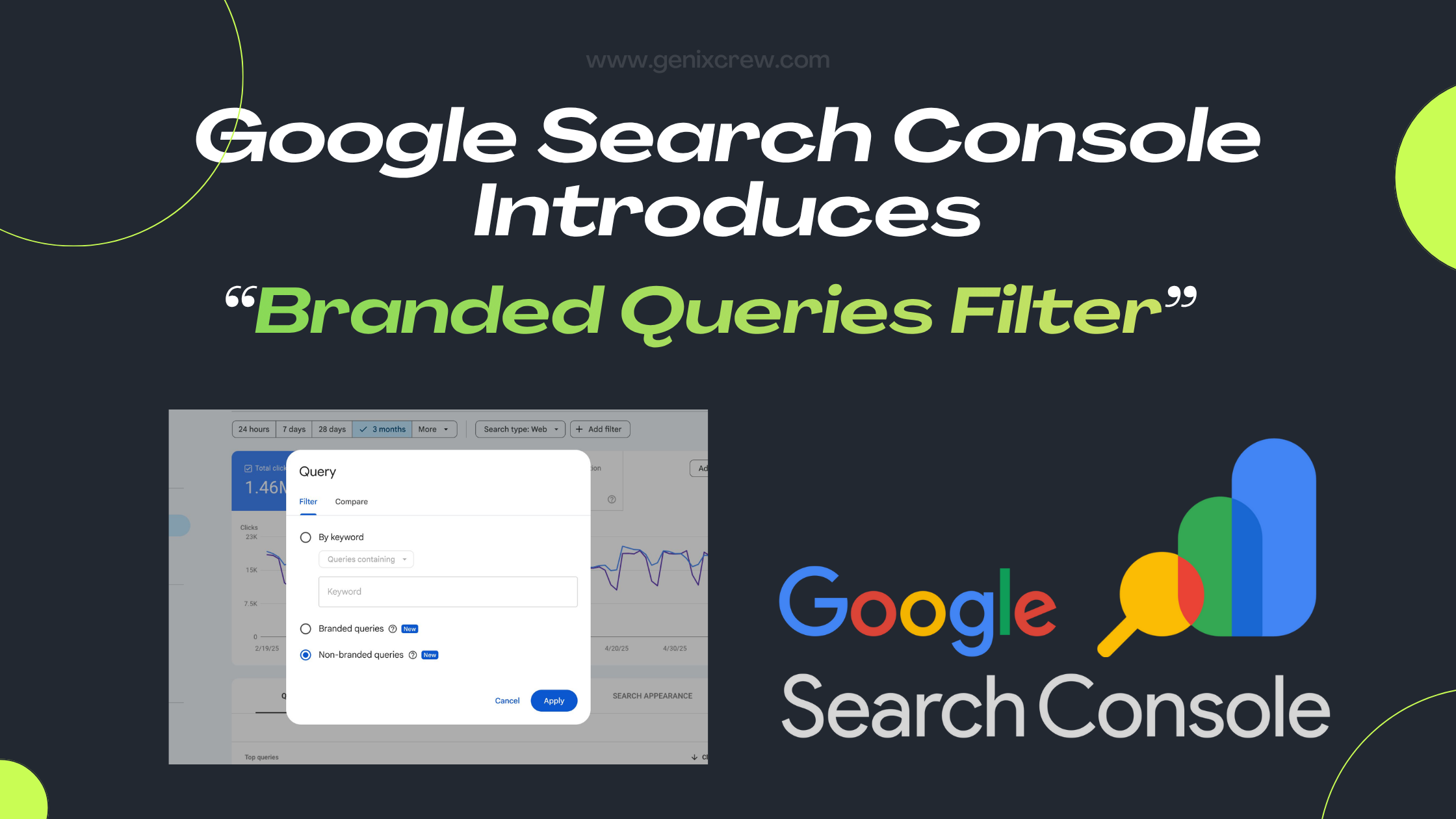
Google has launched a new Branded Queries Filter inside Search Console — a feature that separates your branded and non-branded search traffic. This simple update gives businesses clearer insights into how users discover them on Google.
This new feature gives businesses deeper insights into user intent, brand awareness, and content performance.
In this blog, we break down exactly what the update is, how it works, and how you can use it to strengthen your SEO and brand strategy.
What Are Branded Queries (in Simple Terms)?
Branded queries are search terms that include your brand name or anything related to your brand identity.
Examples:
“GenixCrew digital marketing”
“GenixCrew SEO services”
Misspellings like “genix crew”
Your product names, slogans, or unique identifiers
Earlier, identifying these queries required manual filters or regex, which wasn’t always accurate. Now Google automatically detects branded queries using AI.
What Is the New Branded Queries Filter?
Google Search Console has added a new toggle inside the Performance report that lets users segment search queries into:
Branded queries
Non-branded queries
You can now analyze impressions, clicks, CTR, and average position separately for each bucket.
This simple filter will help marketers understand how your audience interacts with your brand across Google Search.
Why Did Google Introduce This Feature?
Because not all traffic is equal.
Branded traffic usually reflects:
🟢 High brand trust
🟢 Existing audience
🟢 People already familiar with your business
Non-branded traffic reflects:
🟡 New visitors
🟡 Organic visibility
🟡 Content relevance
🟡 Ranking strength for competitive keywords
Until now, many businesses were unable to clearly measure this separation. Google’s update finally closes that gap.
Where Can You Find the Branded Queries Filter?
Here’s the simple path:
Search Console → Performance → Search Results → “Search Type” Filters → “Branded / Non-Branded”
Once enabled, you’ll see additional insights showing how users discovered you — through brand searches or generic searches.
Google has also added a brand-vs-non-brand Insights card for a visual overview.
👉 Also Read: Google Search Console Introduces: Custom Chart Annotations
How Google Identifies Branded Queries
This part is interesting.
Instead of using simple string matching, Google uses an AI-based internal system to detect branded terms. It can identify:
Brand name variations
Misspellings
Related product names
Navigational queries
Multi-language variations
This makes the classification more accurate and helpful compared to the old manual approach.
What You Can Learn From This Update (User Learning Guide)
This update is powerful for anyone looking to understand how users find their website. Here are the key learnings:
1. You Can Measure Brand Awareness More Clearly
If branded clicks are growing month-over-month, it means:
Your marketing is working
People are remembering your name
Brand trust is increasing
This is extremely helpful for brand managers and businesses focusing on long-term growth.
2. You Can Identify Whether You’re Attracting New Users
If most of your traffic is branded, it means your SEO visibility for new users is weak.
If non-branded traffic is growing, it means:
Your content is ranking
You’re gaining visibility for generic industry terms
Your outreach and SEO campaigns are performing
This helps shape your future content strategy.
3. You Can Optimize Your SEO Strategy With Precision
Use branded data to analyze:
✅ How well your homepage ranks
✅ Whether users prefer branded navigational searches
✅ How strong your brand recall is
Use non-branded data to analyze:
✅ Keyword opportunity gaps
✅ High-performing content
✅ Which pages attract cold audiences
4. Better Decision-Making for Businesses & Agencies
For agencies like GenixCrew, this update helps in:
Clearer reporting
Transparent performance tracking
Stronger strategy recommendations
Educating clients about brand influence vs SEO reach
5. Helps You Understand Your Marketing Funnel
Branded traffic = lower funnel
Non-branded traffic = top funnel
This gives you a full-funnel view inside Search Console for the first time ever.
Limitations You Should Know
To keep users educated, here are the limitations:
1. Not Available for All Properties
Small websites or low-volume sites may not see this filter immediately.
2. AI May Misclassify Queries
Though rare, some queries may appear in the wrong segment.
3. Only for Top-Level Properties
URL-prefix or subdomain-only properties may not show this filter.
How Businesses Should Use This Update (Actionable Steps)
Here’s how you can benefit starting today:
1️⃣ Track your branded vs non-branded traffic monthly
Helps measure growth patterns.
2️⃣ Identify your top non-branded queries
These reveal your keyword strengths and gaps.
3️⃣ Improve content targeting
If non-branded is weak, invest in educational content and keyword targeting.
4️⃣ Monitor brand health
A sudden drop in branded traffic may show loss of interest or awareness.
5️⃣ Use it in reporting
Show clients or internal teams the difference between brand power and SEO power.
Why This Update Matters for 2025 and Beyond
SEO is no longer just about ranking — it’s about understanding user behavior.
The branded queries filter helps you answer questions like:
Are people searching for my brand more than last year?
Am I genuinely achieving organic visibility?
Is my SEO attracting the right audience?
For businesses focused on digital growth, this is a game-changing insight tool.
Final Thoughts
Google’s Branded Queries Filter is one of the most practical updates in recent years. It gives businesses exactly what they need: a clear way to understand brand-driven traffic vs discovery-driven traffic.
For marketers, SEOs, and business owners, this update provides deeper clarity, better decision-making, and stronger insights into user behavior.
If you want to fully leverage this update, analyze your traffic patterns, and create a strategic SEO roadmap — GenixCrew can help you implement it effectively.