
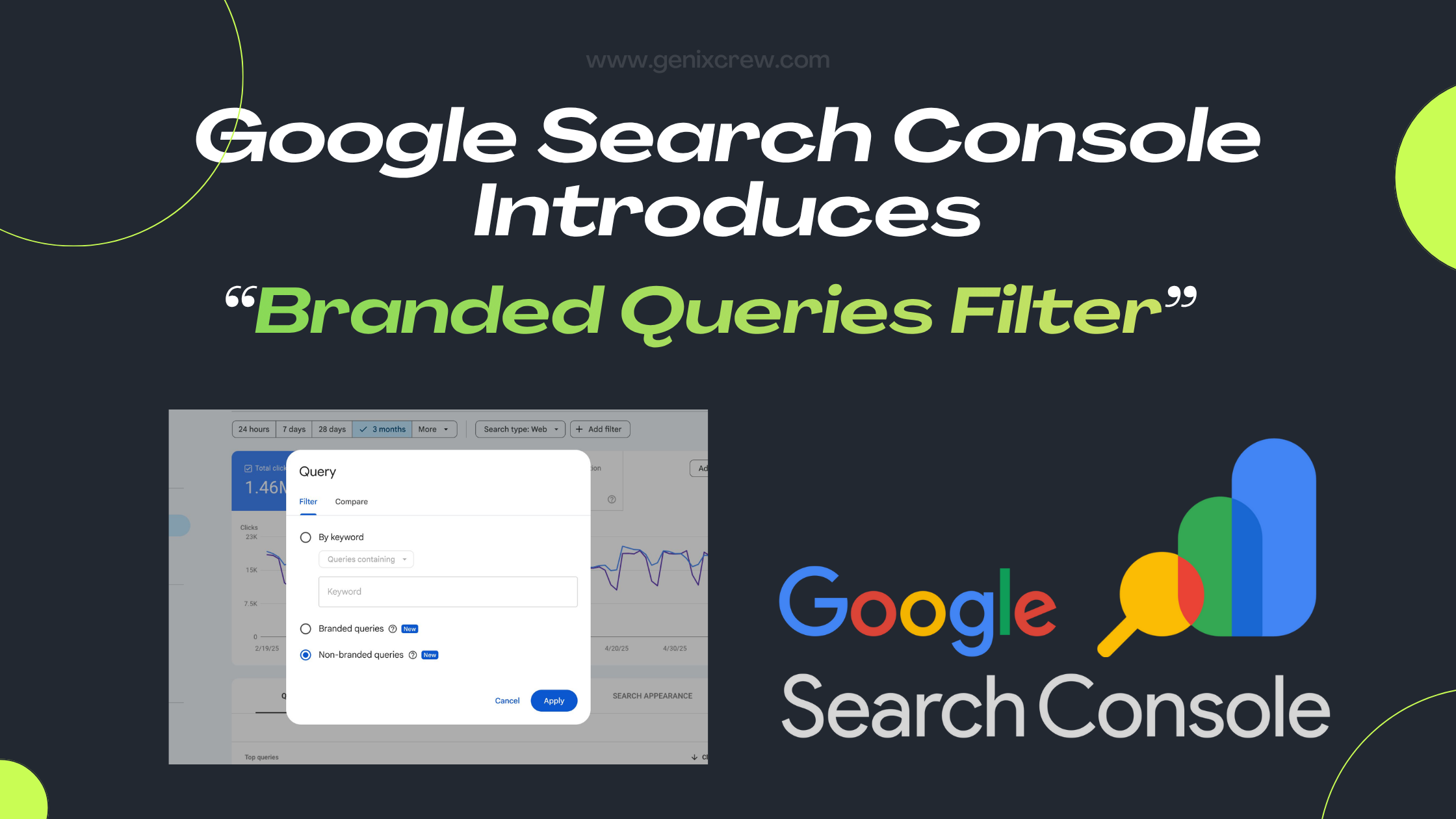
Google has launched a new Branded Queries Filter inside Search Console — a feature that separates your branded and non-branded search traffic. This simple update gives businesses clearer insights into how users discover them on Google. This new feature gives businesses deeper insights into user intent, brand awareness, and content performance. In this blog, we break down exactly what the update is, how it works, and how you can use it to strengthen your SEO and brand strategy. What Are Branded Queries (in Simple Terms)? Branded queries are search terms that include your brand name or anything related to your brand identity. Examples: “GenixCrew digital marketing” “GenixCrew SEO services” Misspellings like “genix crew” Your product names, slogans, or unique identifiers Earlier, identifying these queries required manual filters or regex, which wasn’t always accurate. Now Google automatically detects branded queries using AI. What Is the New Branded Queries Filter? Google Search Console has added a new toggle inside the Performance report that lets users segment search queries into: Branded queries Non-branded queries You can now analyze impressions, clicks, CTR, and average position separately for each bucket. This simple filter will help marketers understand how your audience interacts with your brand across Google Search. Why Did Google Introduce This Feature? Because not all traffic is equal. Branded traffic usually reflects:🟢 High brand trust🟢 Existing audience🟢 People already familiar with your business Non-branded traffic reflects:🟡 New visitors🟡 Organic visibility🟡 Content relevance🟡 Ranking strength for competitive keywords Until now, many businesses were unable to clearly measure this separation. Google’s update finally closes that gap. Where Can You Find the Branded Queries Filter? Here’s the simple path: Search Console → Performance → Search Results → “Search Type” Filters → “Branded / Non-Branded” Once enabled, you’ll see additional insights showing how users discovered you — through brand searches or generic searches. Google has also added a brand-vs-non-brand Insights card for a visual overview. 👉 Also Read: Google Search Console Introduces: Custom Chart Annotations How Google Identifies Branded Queries This part is interesting. Instead of using simple string matching, Google uses an AI-based internal system to detect branded terms. It can identify: Brand name variations Misspellings Related product names Navigational queries Multi-language variations This makes the classification more accurate and helpful compared to the old manual approach. What You Can Learn From This Update (User Learning Guide) This update is powerful for anyone looking to understand how users find their website. Here are the key learnings: 1. You Can Measure Brand Awareness More Clearly If branded clicks are growing month-over-month, it means: Your marketing is working People are remembering your name Brand trust is increasing This is extremely helpful for brand managers and businesses focusing on long-term growth. 2. You Can Identify Whether You’re Attracting New Users If most of your traffic is branded, it means your SEO visibility for new users is weak.If non-branded traffic is growing, it means: Your content is ranking You’re gaining visibility for generic industry terms Your outreach and SEO campaigns are performing This helps shape your future content strategy. 3. You Can Optimize Your SEO Strategy With Precision Use branded data to analyze:✅ How well your homepage ranks✅ Whether users prefer branded navigational searches✅ How strong your brand recall is Use non-branded data to analyze:✅ Keyword opportunity gaps✅ High-performing content✅ Which pages attract cold audiences 4. Better Decision-Making for Businesses & Agencies For agencies like GenixCrew, this update helps in: Clearer reporting Transparent performance tracking Stronger strategy recommendations Educating clients about brand influence vs SEO reach 5. Helps You Understand Your Marketing Funnel Branded traffic = lower funnelNon-branded traffic = top funnel This gives you a full-funnel view inside Search Console for the first time ever. Limitations You Should Know To keep users educated, here are the limitations: 1. Not Available for All Properties Small websites or low-volume sites may not see this filter immediately. 2. AI May Misclassify Queries Though rare, some queries may appear in the wrong segment. 3. Only for Top-Level Properties URL-prefix or subdomain-only properties may not show this filter. How Businesses Should Use This Update (Actionable Steps) Here’s how you can benefit starting today: 1️⃣ Track your branded vs non-branded traffic monthly Helps measure growth patterns. 2️⃣ Identify your top non-branded queries These reveal your keyword strengths and gaps. 3️⃣ Improve content targeting If non-branded is weak, invest in educational content and keyword targeting. 4️⃣ Monitor brand health A sudden drop in branded traffic may show loss of interest or awareness. 5️⃣ Use it in reporting Show clients or internal teams the difference between brand power and SEO power. Why This Update Matters for 2025 and Beyond SEO is no longer just about ranking — it’s about understanding user behavior. The branded queries filter helps you answer questions like: Are people searching for my brand more than last year? Am I genuinely achieving organic visibility? Is my SEO attracting the right audience? For businesses focused on digital growth, this is a game-changing insight tool. Final Thoughts Google’s Branded Queries Filter is one of the most practical updates in recent years. It gives businesses exactly what they need: a clear way to understand brand-driven traffic vs discovery-driven traffic. For marketers, SEOs, and business owners, this update provides deeper clarity, better decision-making, and stronger insights into user behavior. If you want to fully leverage this update, analyze your traffic patterns, and create a strategic SEO roadmap — GenixCrew can help you implement it effectively.
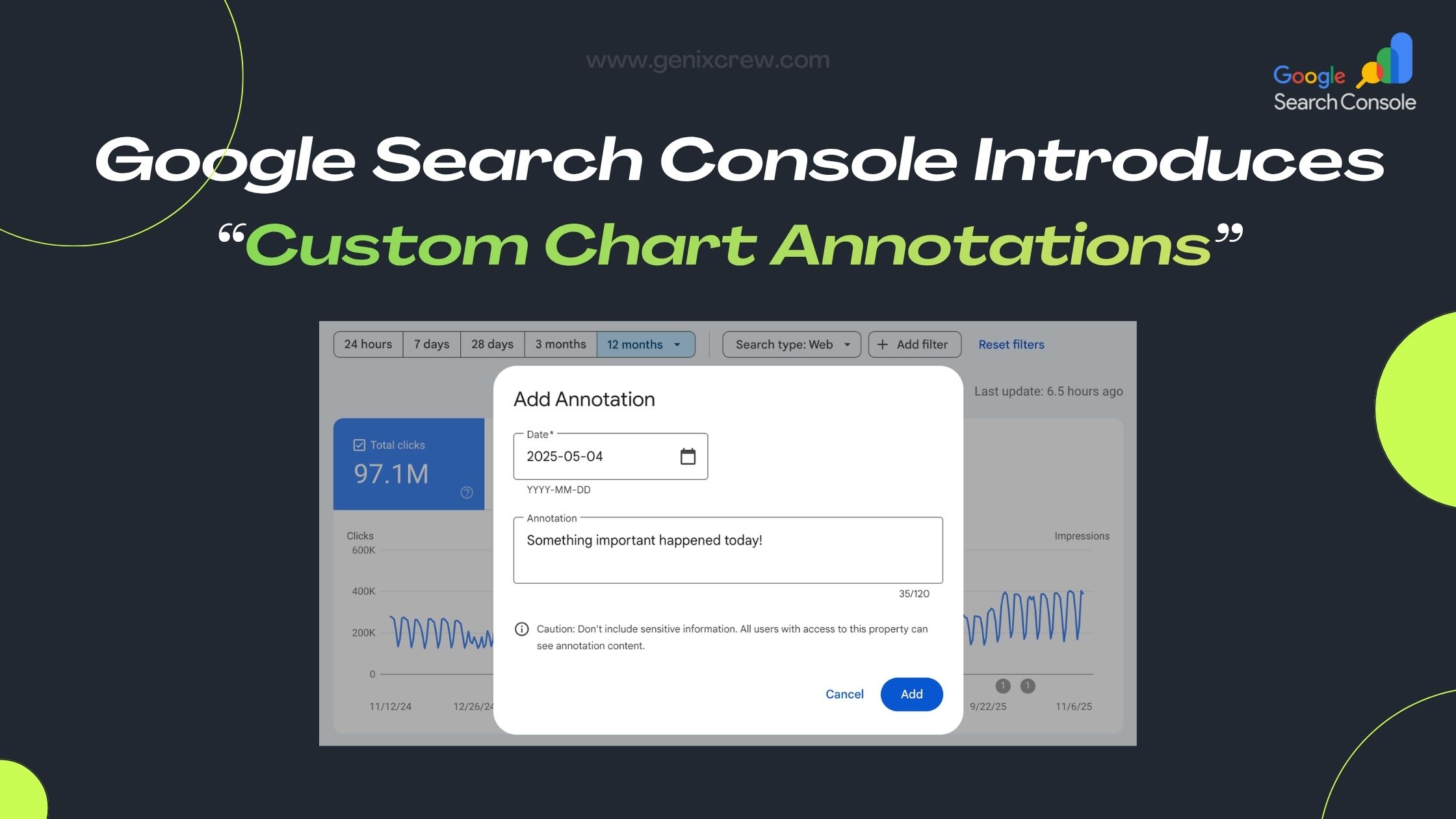
Google Search Console Introduces: Custom Chart Annotations
Google has rolled out a new feature in Search Console’s Performance reports: Custom Chart Annotations. This update empowers SEOs, marketers, and website owners to add their own notes directly on performance charts — making it much easier to link performance trends to real-world events. What Are Custom Annotations? These are user-generated notes (up to 120 characters) that you can place on specific dates in your Search Console charts. Common use cases include: site migrations, SEO changes, content updates, infrastructure upgrades, or even external business events. Annotations become visual markers on the chart, helping you remember why traffic spiked or dropped. Why This Update Is Useful Contextualizes data: Instead of guessing why metrics moved, you can record what you did. Creates a shared history: Everyone with access to the Search Console property can see these notes, which builds a shared timeline for your team. Improves analysis & reporting: You can correlate actions (like a major plugin install) with changes in performance, making it easier to explain results to stakeholders. How to Use It Go to the Performance report in Google Search Console. Right-click (or control-click) on the chart on the date you want to annotate. Select “Add annotation”, write your note (max 120 characters), and save. The annotation appears on your chart as a small marker — click it to view your note. 👉 Also Read: Google Search Console Introduces: “Branded Queries Filter” Things to Keep in Mind (Limitations) You can add up to 200 custom annotations per Search Console property. Annotations older than 500 days are automatically deleted. Since everyone with property access can see the annotations, avoid adding sensitive or personal info. Once added, you cannot edit an annotation — you can only delete it. Best Practices: How You (or GenixCrew) Can Leverage This Maintain a standard annotation format (for example: [TECH] Site migration, [CONTENT] Updated blog strategy) — it keeps your notes organized and consistent. Log major events, not every small change — this helps keep the chart clean and meaningful. Use annotations to build a timeline of SEO changes, which can help explain long-term trends to clients. Combine annotations with your SEO reporting: when you report to clients or internal stakeholders, use the annotated chart to show exactly how your work impacted performance. Final Thoughts Custom Chart Annotations in Google Search Console are a powerful and practical upgrade. They bring context to your data, improve how you track SEO changes, and strengthen collaboration across teams. Whether you’re managing a large site or handling SEO for a few clients, this feature helps you tie your work directly to performance — no more guessing. At GenixCrew, we believe in using data-driven insights to guide strategy — and these annotations are one more tool to do just that. If you want help implementing this or building an SEO timeline that aligns with your business goals, we’re here to help.
Beat Your Competitors Like a Pro — Zero Drama, Full Strategy
Let’s be honest — business competition today feels like everyone is racing on Red Bull.Brands are louder, trends change every 10 minutes, and customers have the attention span of a goldfish with Wi-Fi. But here’s the good news:You don’t need drama, stress, or dirty tricks to beat your competitors.You just need clarity, confidence, and smart moves. This blog is your chill, no-nonsense guide to staying ahead… without losing your vibe. 1. Know Your Competitors Better Than They Know Themselves First rule? Stop guessing. Start observing. Check their: Website Social media Ads Content style Pricing Offers Reviews (big secrets lie here) You’ll understand exactly where they shine and where they’re secretly struggling. Pro move: Find what they’re ignoring.That’s your entry point. 2. Don’t Copy Them — Outdo Them Copying competitors is the quickest way to look average.And “average” doesn’t win. Instead:👉 Do what they do better👉 Add what they’re missing👉 Make your experience smoother, cleaner, faster People remember brands that feel different, not brands that play safe. 3. Show More Personality — That’s Your Ultimate Weapon Competitors can copy your strategy. But your vibe, voice, energy?Untouchable. Whether you’re a brand or a freelancer, personality builds loyalty. Make your brand:✨ relatable✨ bold✨ clear✨ fun (if that fits your style) Humans connect with humans.Not “we are committed to excellence” type of brands. 👉 Also Read: 9 SEO Secrets for $0 — Understand How SEO Really Works! 4. Give Customers What They Need BEFORE They Ask Imagine going to a café and they bring your order before you say it.That’s the feeling your business should give. Do this: Answer FAQs in your content Offer help instantly Provide value upfront Be consistent with communication Customer love > (is greater than) competitor noise. 5. Speed Wins More Than Perfection You can spend months planning…Meanwhile, your competitor posts, promotes, experiments and learns. Move fast. Take action. Fix mistakes as you grow. Execution > (is greater than) ideas. Always. 6. Build a Community, Not an Audience Anyone can get followers. But a community?That’s where the magic happens. People who trust you+People who share your content+People who talk about you naturally = Competitors start sweating. Engage with people.Comment, reply, appreciate, and involve them. This is the long-term cheat code. 7. Focus on Value, Not Views A 1M-view post that doesn’t convert is pointless. A 200-view post that brings clients?That’s gold. ❌ Stop chasing trends just because others are.✅ Create content that solves real problems. People remember value far longer than virality. 8. Innovate Small, But Consistently You don’t need a big “brand revolution.”Small improvements are enough to beat 90% competitors. Examples: Better customer onboarding Clearer website Faster replies More transparent pricing Better storytelling Helpful guides Little things make you unforgettable. 9. Stay Calm — Success Loves a Stable Mind Your competitor got more likes?Someone else launched a new product? Cool.Let them cook. Your job is to stay focused on your strategy. ❌ No stress.❌ No panic.🟢 Just progress. ✅ Zero drama.✅ Full strategy.✅ Maximum growth. Final Thoughts Beating competitors isn’t about fighting.It’s about outthinking, out-caring, and out-performing them. If you show up consistently, give genuine value, and focus on your strengths…You’ll win without shouting, without copying, and without stress. ✅ Competitors will watch.✅ Customers will shift.✅ Your brand will rise.
9 SEO Secrets for $0 — Understand How SEO Really Works!
Let’s keep it real — SEO looks scary from the outside.Algorithms, updates, keywords, ranking… it feels like Google is some mysterious boss that no one understands. But here’s the truth: you don’t need money to understand SEO.You need clarity, consistency, and the right mindset. So let’s break down 9 SEO secrets you can learn for $0, in the most natural and friendly way possible. 1. Google Loves Humans, Not Keywords Forget stuffing 57 keywords in one paragraph.Google’s new vibe is simple:“Write like a human, not a robot.” If your content feels like a friend explaining something over chai/coffee — you’re already winning. Secret: 👉 Keywords help Google understand your topic, but engagement keeps you on top. 2. Your Website Must Load Fast — People Don’t Wait Let’s be honest — your friends don’t wait for your text,why will anyone wait for your website? Slow loading = instant back button. Fix for $0: Compress images Remove unnecessary plugins Use free tools like PageSpeed Insights Speed = trust. 3. Mobile-First Is Not a Trend — It’s the Default 90% Gen-Z lives on their phone.If your website looks like 2010 on mobile… it’s game over. Make your website:✔ clean✔ scroll-friendly✔ thumb-friendly✔ readable Google literally tests mobile first before desktop. 4. Content That Hits Emotions Works Better Google tracks everything — engagement, clicks, reading time. If your content makes people: stay longer scroll more share it save it Google automatically pushes it up. Write like you talk.Make people feel something. 5. Backlinks Are Basically Online “References” Backlinks = someone saying “Yo, this person knows their stuff.” But forget buying backlinks.Google is not dumb — they catch everything. Free ways to get backlinks: Write helpful content people want to reference Do collaborations Share insights on LinkedIn Answer questions on Quora/Reddit Let value attract links. 👉 Also Read: How to Optimize Your Content for Featured Snippets 6. Google Likes Freshness — Update Your Content Google is like Instagram — it likes fresh content. If you wrote a blog in 2021 and never touched it again…Google will treat it like an ex you never talk to. Update your content regularly: Add new examples Refresh data Improve headings Fix outdated lines Add new images Fresh = relevant. 7. User Experience Is the New SEO SEO isn’t just links and keywords anymore.It’s the vibe your website gives. Ask yourself: Is my website easy to use? Can people find things instantly? Is the text readable? Are buttons clear? If a visitor feels lost, Google pushes you down. Make the experience smooth. 8. Social Signals Matter — Indirectly Google may say “We don’t count likes or shares,”but social traffic still sends a signal: “People care about this content.” So yes — reels, shorts, LinkedIn posts, tweets…all help indirectly. Create content that’s shareable, snackable, and valuable. 9. Consistency Always Beats Hacks There’s no “one magic trick” in SEO. Google rewards the people who: show up keep improving add value stay consistent Even if you do basic SEO consistently for 90 days,You’ll see results. Consistency > hacks (SEO Secrets)Always. Final Thoughts SEO isn’t expensive.It isn’t complicated.It isn’t something only tech geeks can understand. It’s just understanding your audience better than anyone else — and giving them the best possible experience. With these 9 free SEO secrets, you don’t just understand how SEO works…you understand how people work — and that’s the real win.
How to Trend Your Song on Instagram in 2026
Going viral isn’t just luck — it’s strategy. Instagram has become one of the most powerful platforms for music promotion, allowing independent artists, singers, and producers to reach millions through short videos and Reels. If you’re wondering how to trend your song on Instagram, this guide will help you understand what works, why it works, and how to make your next release blow up online. 1. Understand Instagram’s Algorithm for Music To make your song trend, you first need to understand how Instagram’s algorithm works in 2025–2026. The algorithm now prioritizes: Engagement: Likes, comments, shares, saves, and replay counts. Watch Time: The longer users watch your Reel, the better it performs. Audio Usage: When more users use your audio in their Reels, it signals trend potential. Authenticity: Organic, real reactions perform better than heavily edited videos. Pro Tip: Focus on creating content that evokes emotion — happiness, nostalgia, energy, or curiosity. That’s what makes people use your sound. 2. Upload Your Song to Instagram’s Music Library If your track isn’t available in the Instagram music library, people can’t use it. To fix this: Distribute your song through platforms like DistroKid, TuneCore, or CD Baby. Make sure your music is released on Spotify, Apple Music, and Instagram/Facebook Music. Tag your artist name properly to help people find your song easily. 3. Create a Hook for Reels or Challenges Every trending song on Instagram has one thing in common — a catchy hook or moment that creators can use in their Reels. Think of: A catchy beat drop 🎵 A powerful lyric 🎤 A relatable emotional line 💔 Or a unique dance move 💃 You can even start a Reel challenge or hashtag campaign. Example: #DanceWith[SongName] or #MoodOf[SongName] 4. Influencer Marketing for Music Promotion Influencer collaborations are one of the fastest ways to trend your song. Reach out to micro-influencers (10k–100k followers) who create Reels in your music niche — dance, comedy, lifestyle, or fashion. Send them a simple message like: “Hey [Name], I’ve just released a new track called [Song Name]. I think your vibe matches it perfectly. Would you like to create a Reel with it?” Once they start using your sound, others will follow — and the algorithm will push it further. 5. Post Consistently and Use Trending Audio Formats To keep your audience engaged: Post 3–5 Reels per week using your own sound. Experiment with different themes — behind-the-scenes, lyrics videos, fan reactions, or acoustic versions. Pair your sound with trending Reels formats (like transitions or meme styles). Use hashtags like: #NewMusicAlert #TrendingReel #ViralSong #InstaMusic #ReelSound #MusicReels Pro Tip: Mix your song’s Reel with popular trends to double the reach. ➡️ How to Optimize Your Content for Featured Snippets 6. Engage With Your Audience Increase reach for songs on Instagram. Instagram rewards two-way engagement. Reply to comments, repost fan Reels using your song, and show appreciation publicly. When fans feel connected to your music, they’ll naturally promote it — creating a viral chain reaction. 7. Run a Small Paid Campaign If your song has strong potential, boost it with a small Instagram ad campaign for music promotion. You can promote your best-performing Reel to reach new audiences. Target by: Age group and country Music interests (Punjabi, pop, hip-hop, etc.) Behavior (music lovers, reel creators, influencers) Even a budget of ₹500–₹1000 per day can kickstart organic momentum. 8. Use Cross-Platform Promotion Don’t rely on Instagram alone. Share your Instagram Reels on: YouTube Shorts Facebook Reels Snapchat Spotlight TikTok (if available in your region) The more visibility your hook gets, the faster it trends. Pro Tip: Add your Instagram handle and hashtag in every platform post to drive traffic back to your main page. 9. Leverage UGC for music promotion (user-generated content) Encourage fans to make videos with your song. Run contests like: “Best dance video wins a shoutout.” “Top 5 Reels get featured in the official music video.” User-generated content is one of the strongest signals that your song is trending naturally. 10. Track and Analyze Performance Keep an eye on your Instagram Insights: Which Reels got the most plays? Which audience segments engaged most? What time got the highest reach? Use this data to plan your next post or campaign more strategically. Final Thoughts Trending your song on Instagram isn’t about luck — it’s about strategy, consistency, and creativity. By understanding the algorithm, collaborating with influencers, and promoting smartly, your next release can easily go viral. Remember: trends fade, but authentic music and strong storytelling last forever. 🎶
How to Create a Scalable Affiliate Marketing Program for Your Business
Affiliate marketing programs have become a powerful and efficient way for businesses to grow their reach and increase sales. By leveraging partnerships with affiliates, businesses can tap into new audiences and benefit from performance-based marketing. However, creating a scalable affiliate marketing program requires careful planning, strategy, and continuous optimization. Below are the key steps to build an effective and scalable affiliate marketing program that delivers long-term success. 1. Define Your Goals and Objectives Before you start recruiting affiliates, it’s essential to outline clear goals for your affiliate marketing program. What do you want to achieve? Common objectives include: Increasing sales and revenue Expanding brand awareness Driving more website traffic Building long-term partnerships with affiliates By defining your goals, you can align your strategies, track progress, and measure the success of your affiliate program effectively. Be sure to set specific, measurable, achievable, relevant, and time-bound (SMART) goals to make tracking results easier. 2. Choose the Right Affiliate Program Model There are several different affiliate marketing models, and you must choose one that aligns with your business model and goals. Common models include: Pay-per-sale (PPS): Affiliates earn a commission when a referred customer makes a purchase. Pay-per-click (PPC): Affiliates are paid based on the number of clicks generated through their referral links. Pay-per-lead (PPL): Affiliates earn a commission when a referred customer completes a specific action, like signing up for a free trial or subscribing to a newsletter. For scalability, the Pay-per-sale (PPS) model is often preferred, as it is performance-based and directly tied to your revenue growth. Choose the model that best fits your business objectives. 3. Set Competitive Commission Structures A key aspect of building a successful affiliate program is offering competitive commissions to incentivize affiliates. Commission structures should be attractive enough to motivate affiliates, yet sustainable for your business. Common commission structures include: Flat-rate commission: Affiliates earn a fixed percentage or set amount for each sale or action. Tiered commission: Affiliates can earn higher commissions based on their performance, such as a higher rate for reaching certain sales targets. Recurring commission: Affiliates earn a commission on subscription-based products or services as long as the customer remains subscribed. Research industry standards to determine what your competitors are offering and balance that with the profit margins of your products or services. Offering bonuses for high performers can also help motivate affiliates and encourage consistent effort. 4. Develop a Strong Affiliate Recruitment Strategy A successful affiliate marketing program requires a solid network of affiliates. You need to attract and recruit affiliates who are a good fit for your business. Here’s how you can approach affiliate recruitment: Leverage existing customers: Reach out to loyal customers who may be interested in becoming affiliates. They already know and love your product, making them ideal brand ambassadors. Partner with influencers: Collaborate with influencers in your industry or niche who have the right audience. Their credibility can boost your brand’s reach. Affiliate networks: Consider joining affiliate networks like ShareASale, CJ Affiliate, or Rakuten Marketing, which can help you connect with experienced affiliates who have an established platform. Offer affiliate tools and resources: Provide affiliates with the tools and resources they need to succeed, such as banners, product images, promotional materials, and tracking links. Focus on attracting affiliates whose audience aligns with your target market, ensuring that their promotions are likely to drive qualified traffic and conversions. 5. Provide Affiliates with High-Quality Marketing Materials To ensure the success of your affiliates, provide them with high-quality marketing materials. The easier you make it for affiliates to promote your products, the more likely they are to succeed and scale their efforts. Materials might include: Banners and ads: Customizable graphics and banners for websites and social media. Email templates: Ready-to-use email templates for affiliate email marketing campaigns. Content support: Blog posts, videos, and other content affiliates can share with their audience. Tracking links: Unique affiliate links for tracking purposes and ensuring proper attribution for sales. The better the resources you provide, the more professional and efficient affiliates will be at promoting your products. How GenixCrew Helped a Client Achieve 10X Results💥 6. Implement an Effective Affiliate Tracking System A scalable affiliate program requires a reliable tracking system to measure the performance of affiliates and ensure they’re properly compensated. This system should track: Clicks, conversions, and sales to determine which affiliates are driving the most revenue. Real-time reporting allows affiliates to monitor their performance and adjust their strategies. Attribution to make sure that sales are credited to the right affiliate. Investing in robust affiliate tracking software like Refersion, Post Affiliate Pro, or Impact will help you manage affiliate relationships, track performance, and automate payouts. 7. Optimize for Long-Term Success Creating a scalable affiliate program is not just about attracting affiliates and paying them commissions. To ensure long-term success, you need to continuously optimize your program: A/B testing: Test different commission structures, banners, copy, and landing pages to see what works best for your affiliates. Analyze performance: Regularly review affiliate performance to identify top performers and potential areas for improvement. Foster relationships: Engage with affiliates through newsletters, webinars, and regular communication. Building strong relationships with affiliates can lead to increased motivation and loyalty. Incentivize growth: Offer performance-based bonuses or higher commission rates to top-performing affiliates as they scale their efforts. 8. Focus on Compliance and Transparency As your affiliate marketing program scales, it’s crucial to maintain transparency and ensure compliance with legal regulations. Clearly communicate your terms and conditions, including commission rates, payment terms, and what’s expected from affiliates. Stay on top of any changes in affiliate marketing regulations, such as the FTC guidelines for affiliate marketers, to ensure your program remains compliant. Conclusion A scalable affiliate marketing program can significantly boost your business’s growth and profitability. By defining clear goals, choosing the right commission model, recruiting the right affiliates, and providing them with the tools they need to succeed, you can build an affiliate program that drives consistent sales and delivers long-term value. Remember, scaling an affiliate marketing program requires continuous
How to Optimize Your Content for Featured Snippets
Featured snippets are the boxed information that appears at the top of some search engine results pages (SERPs) on Google. They are designed to provide users with a direct answer to their query without having to click through to a website. As such, featured snippets offer an excellent opportunity for businesses and content creators to increase visibility and drive traffic to their websites. However, optimizing your content to appear in these coveted spots requires a well-thought-out strategy. Here’s how you can optimize your content for featured snippets: 1. Understand the Different Types of Featured Snippets Google displays various types of featured snippets, and knowing which format aligns with your content is the first step in optimization. The most common types include: Paragraph Snippets: Provide a concise, direct answer to a question, usually 40-50 words. These snippets often appear for “how” or “why” queries. List Snippets (Ordered and Unordered): These are used for step-by-step guides or lists of items. Questions like “How to bake a cake?” or “Top 10 marketing strategies” often trigger list snippets. Table Snippets: Present data in a table format, commonly triggered for queries that involve comparisons or statistics. Video Snippets: YouTube videos or other video content may appear as featured snippets when the search query aligns with video content. Image Snippets: Sometimes, Google may display images that directly answer the search query, typically when the question requires visual representation. By identifying the type of featured snippet for which your content is most likely to qualify, you can better tailor your approach. 2. Target “Question-Based” Queries Featured snippets often appear in response to question-based search queries. To optimize for these, incorporate question-based headings into your content. Phrases such as: What is… How to… Why does… Where can I… These types of questions naturally align with the search behavior of users and are more likely to trigger featured snippets. Once you’ve identified relevant questions for your target keywords, structure your content to answer them directly. 3. Structure Your Content with Clear, Concise Answers The key to ranking in a featured snippet is providing direct, well-structured, and concise answers. Google favors content that immediately addresses the user’s query without excessive fluff. Here’s how to do it: Answer the question in the first paragraph: Provide a clear, direct answer to the question right at the beginning of your content. Aim for clarity and conciseness (usually around 40-50 words for paragraph snippets). Use bullet points or numbered lists: If the query involves a list, break down your content into easy-to-read bullet points or numbered lists. This format is more likely to be picked up for list-based snippets. Use headers (H2, H3): Organize your content into clear, logical sections with relevant headings. This helps Google easily understand the structure of your content and match it to the right query. 4. Optimize for SEO Best Practices While optimizing for featured snippets, you should still follow standard SEO best practices. Ensure your content is well-optimized for both users and search engines by: Using targeted keywords naturally: Include your primary keywords throughout the content, especially in the title, headings, and meta descriptions. Optimizing for on-page SEO: Use proper header tags, alt text for images, and internal linking to enhance the overall SEO of the page. Ensuring mobile-friendliness: A responsive design ensures that your content performs well across all devices, which is essential for ranking in featured snippets. Improving page load speed: Faster loading times contribute to better user experience and improve your chances of ranking in featured snippets. 5. Leverage “Position 0” Content Position 0 refers to the space at the top of the search engine results page (SERP), where featured snippets appear. To optimize for Position 0, consider these tips: Use schema markup: Structured data (such as schema markup) helps Google understand your content better and may increase your chances of being selected for featured snippets. Target long-tail keywords: Longer, more specific search queries are often featured in snippets. By targeting these keywords, you can increase the likelihood of your content being picked. Focus on high-volume questions: Use tools like Google’s “People Also Ask” feature, Answer the Public, or SEMrush to discover the most frequently asked questions in your niche. 6. Analyze Existing Featured Snippets An effective way to find optimization opportunities is to research current featured snippets in your niche. Here’s how you can do it: Perform Google searches: Identify which search queries are generating featured snippets related to your content topic. Note the structure of the answers and the type of content that Google is highlighting. Use SEO tools: Tools like Ahrefs, SEMrush, and Moz offer insights into which queries trigger featured snippets for your targeted keywords. Use these tools to identify content gaps and opportunities for optimization. 7. Format Content for Easy Extraction Google pulls content from well-structured, easily digestible formats for featured snippets. Here are a few tips to make your content snippet-friendly: Use short, snappy sentences: Write content that’s easy to read and understand in just a glance. Keep paragraphs short: Break your content into small paragraphs so that it’s easier for Google to extract relevant information. Include FAQs: Add an FAQ section to your content with concise answers to common questions. Google may pull these sections for featured snippets. 8. Monitor and Optimize Performance After implementing your featured snippet optimization strategies, regularly monitor the performance of your pages. Tools like Google Search Console will show you whether your content has appeared in a featured snippet and how it’s performing in search results. Pay attention to: Click-through rates (CTR): Featured snippets can have high visibility but may not always result in clicks. Monitor CTR and experiment with changes to your meta descriptions and content to boost it. Content updates: Featured snippets can change over time as Google updates its algorithms. Keep your content fresh and relevant to maintain your position. Conclusion Optimizing for featured snippets is a great way to enhance visibility and drive organic traffic to your website. By understanding the types of snippets, targeting question-based queries, structuring
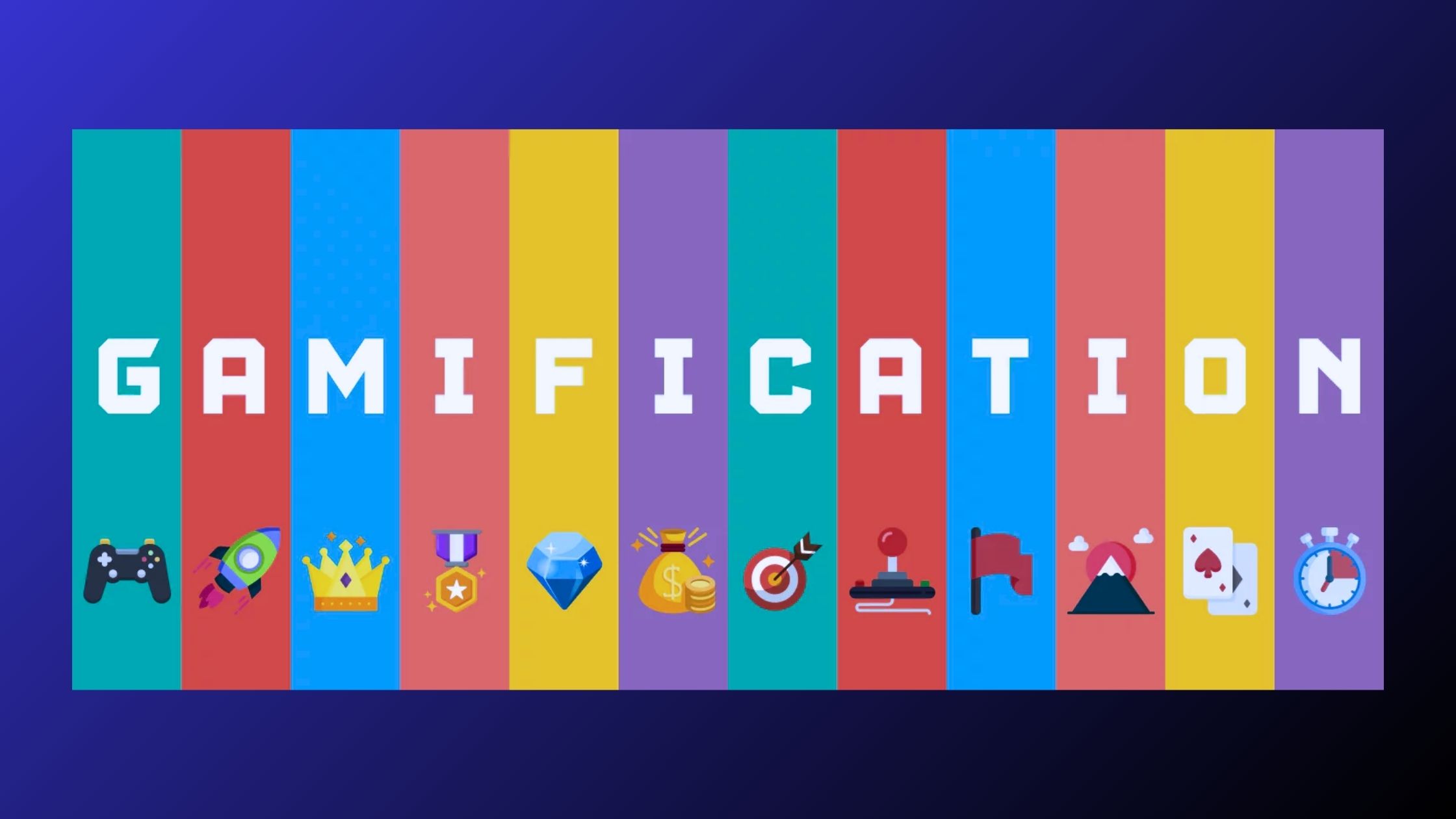
Why It’s Important to Add Gamification to Your Landing Page
In 2025, gamification is a powerful tool for enhancing your landing page. Adding game-like elements—such as quizzes, challenges, or rewards—can significantly improve user engagement and drive conversions. Here’s why gamification is essential for your business: Increased Engagement: Gamified features encourage visitors to interact with your landing page for longer. Elements like interactive quizzes or reward-based actions capture attention and keep users on the page, improving their experience and the likelihood of conversion. Encourages Immediate Action: Time-sensitive games or challenges, such as limited-time offers or spin-to-win wheels, create a sense of urgency. This motivates visitors to take immediate action, whether it’s making a purchase, signing up, or completing a form. Boosts Conversion Rates: By offering rewards for completing desired actions—such as discounts, exclusive content, or points—gamification makes the conversion process feel more rewarding. Users are more likely to convert when they feel they are winning something in return. Data Collection: Gamified quizzes and surveys offer valuable insights into customer preferences. These interactive elements help you gather data without being intrusive, enabling you to better understand your audience and refine future marketing strategies. Social Sharing: Gamification often encourages users to share their results or achievements on social media, expanding your reach and increasing brand visibility. By incorporating gamification into your landing page, you can boost engagement, increase conversions, and create a memorable experience that sets your business apart from competitors.
How to Use Pinterest Ads to Drive Traffic and Sales
Pinterest has evolved from being just a virtual mood board to a powerful tool for businesses to drive traffic, increase sales, and reach a highly engaged audience. In 2025, Pinterest Ads continue to be one of the most effective ways to promote products and services, build brand awareness, and generate leads. With over 450 million active users globally, Pinterest offers a unique opportunity to engage with users who are actively searching for inspiration, products, and services. If you want to harness the full potential of Pinterest Ads to boost your business, here’s how you can do it effectively: 1. Understand Your Audience on Pinterest Before you launch any Pinterest Ads campaign, it’s crucial to understand your target audience. Pinterest users are often in the discovery phase, actively searching for ideas, products, and solutions to their needs. They engage with Pins to find inspiration for: Shopping and buying decisions DIY projects Travel destinations Health and fitness routines Fashion and style Knowing your audience’s interests and behaviors will allow you to create more relevant and engaging content. Use Pinterest Analytics to gather insights on the demographics and interests of your followers, so you can tailor your campaigns to meet their preferences. 2. Choose the Right Type of Pinterest Ads Pinterest offers various ad formats that can be used to achieve different marketing goals. Each ad format is designed to help you drive traffic, increase brand awareness, or boost sales. The main ad formats include: Promoted Pins: These are regular Pins that you can pay to promote. They blend seamlessly with organic Pins and are shown in users’ feeds, search results, and related Pins. Promoted Pins are great for driving traffic and increasing visibility. Video Pins: Video Pins allow you to showcase your product or service in action. They stand out in users’ feeds and can help improve engagement and increase conversions. Carousel Ads: These allow you to showcase multiple images within a single Pin. Carousel Ads are perfect for displaying different products, services, or features, and they encourage users to swipe through to learn more. Shopping Ads: If you’re an eCommerce business, Shopping Ads can be highly effective. These ads show users a product image, its price, and a direct link to purchase, making it easier for customers to make a purchase. Collection Ads: These are designed to help businesses showcase a series of products in a visually appealing way, allowing users to browse a selection of items before clicking through to your website. Choosing the right format based on your goals will help you effectively drive traffic and sales from Pinterest. 3. Optimize Your Pins for Engagement To make the most of your Pinterest Ads, ensure that your Pins are optimized for engagement. High-quality visuals, compelling copy, and strategic placement are essential to attracting users. Here are some tips to create effective Pins: Use Vertical Images: Pinterest’s layout favors vertical images (aspect ratio 2:3 or 1:3.5). These Pins take up more space on users’ feeds and increase the likelihood of engagement. Create High-Quality, Eye-Catching Graphics: Use bright colors, bold text, and clear images that stand out in the feed. Your Pins should grab users’ attention as they scroll through their feeds. Craft Compelling Headlines and Descriptions: Use concise, clear, and engaging language to describe your products or services. Include relevant keywords to ensure your Pins appear in search results. Include a Call to Action (CTA): Encourage users to take action by including a strong CTA in your Pin description, such as “Shop Now,” “Learn More,” or “Discover Our Collection.” The more visually appealing and relevant your Pins are, the more likely they are to be saved, clicked, and shared. 4. Leverage Pinterest’s Targeting Options One of Pinterest’s key advantages is its robust targeting options. By leveraging these, you can ensure that your ads are shown to the most relevant audience. Some of Pinterest’s targeting options include: Interest Targeting: Reach users based on their interests, such as fashion, home décor, beauty, fitness, or food. Keyword Targeting: Target users based on specific keywords they search for on Pinterest. This ensures your Pins are shown when users are actively looking for products or ideas related to your business. Demographic Targeting: Target users based on demographic information such as age, gender, location, and device type. Retargeting: Retarget users who have already interacted with your business, such as those who visited your website or engaged with your Pins. Retargeting is a highly effective way to remind users about your products and encourage them to complete a purchase. Custom Audiences: Upload your customer lists or website traffic data to Pinterest to create highly targeted ads. By using these targeting options, you can ensure your Pinterest Ads are shown to the most relevant users, improving the chances of driving traffic and sales. 5. Set Your Budget and Bidding Strategy Pinterest Ads operate on a bidding system, so it’s important to determine how much you’re willing to pay for each click or impression. Pinterest offers a variety of bidding options: Cost-per-click (CPC): You pay each time a user clicks on your ad. Cost-per-impression (CPM): You pay for each 1,000 impressions your ad receives. Cost-per-action (CPA): You pay when users take a specific action, such as making a purchase or signing up for a newsletter. For traffic generation, CPC is typically the most effective option, while for driving conversions and sales, CPA might be a better choice. Start with a modest budget and adjust based on the performance of your ads. Pinterest also allows you to set a daily or lifetime budget to control your spending, ensuring you stay within your marketing budget. 6. Monitor Your Results and Optimize Your Campaigns Once your Pinterest Ads are live, it’s crucial to monitor their performance and make adjustments as needed. Use Pinterest Analytics to track metrics such as: Impressions Clicks Engagement rate Conversion rate Return on ad spend (ROAS) By regularly reviewing these metrics, you can identify which ads are performing well and which need optimization. Test different ad formats, targeting
How to Use Retargeting Ads Without Annoying Your Audience
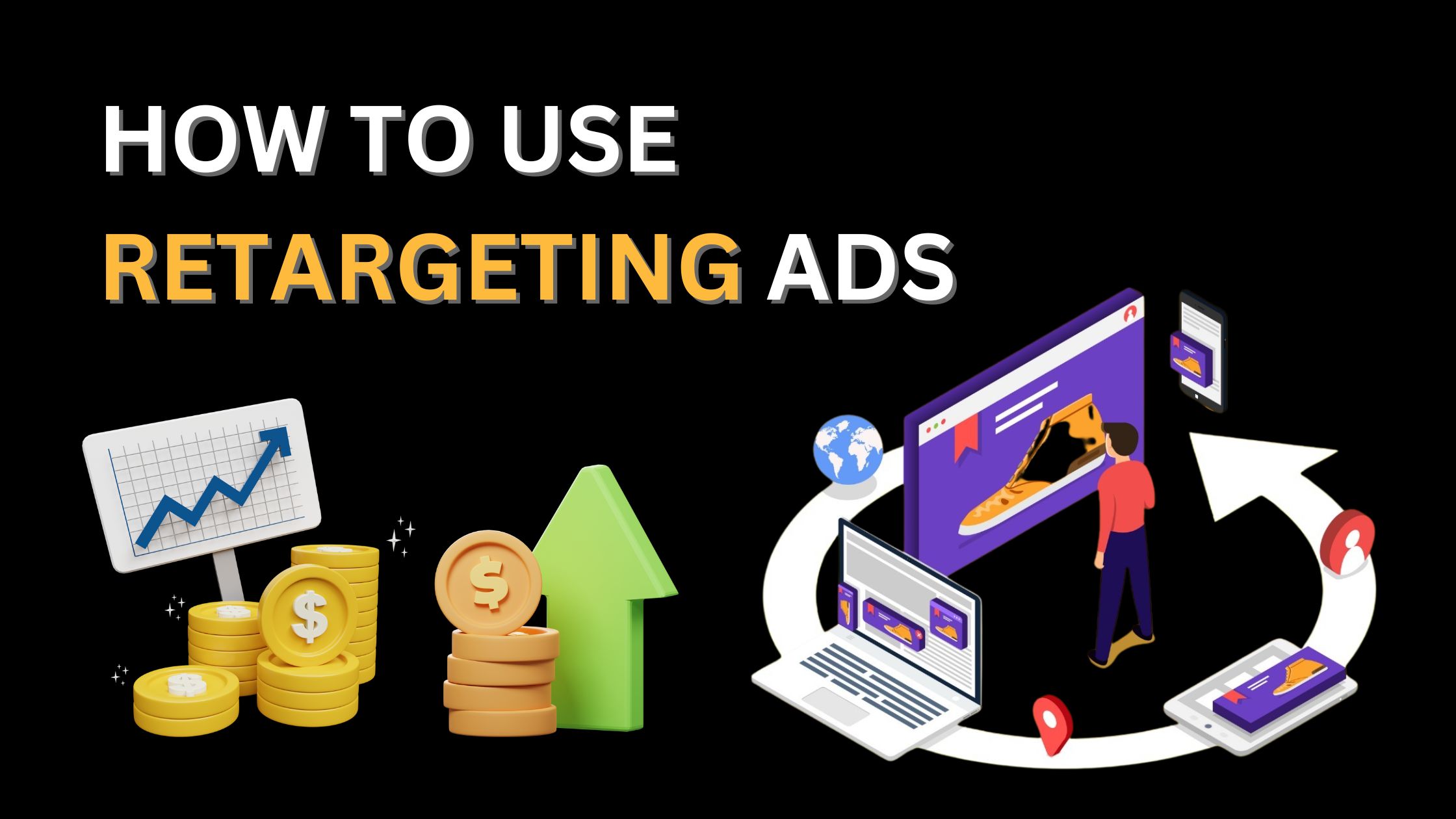
Retargeting ads can be a powerful tool to bring back potential customers who have shown interest in your brand. However, if not executed properly, they can feel intrusive and drive users away instead of converting them. Here’s how to strike the right balance and make retargeting work without frustrating your audience. 1. Set a Frequency Cap One of the biggest mistakes in retargeting is overexposure. Seeing the same ad multiple times a day can annoy potential customers. Implement a frequency cap to limit how often users see your ad within a specific time frame. 2. Segment Your Audience Wisely Not all visitors have the same intent. Segment your audience based on their behavior—first-time visitors, cart abandoners, or previous customers—and tailor your messaging accordingly. This prevents showing irrelevant ads to the wrong users. 3. Refresh Your Ad Creatives Regularly Seeing the same ad repeatedly can lead to ad fatigue. Update your creatives periodically with fresh visuals, different copy, and varied offers to keep your audience engaged. 4. Exclude Converted Users Nothing is more frustrating than getting ads for a product you’ve already purchased. Set up exclusion lists in your ad campaigns to remove users who have already completed a purchase or taken the desired action. 5. Use a Time Window for Retargeting People may lose interest over time. Adjust your retargeting window based on the buying cycle of your product or service. A 7-day window might work well for impulse buys, while a 30-day window may be better for high-ticket items. 6. Leverage Dynamic Retargeting Instead of showing generic ads, use dynamic retargeting to display products or services that users have previously browsed. This creates a more personalized experience and increases conversion chances. 7. Offer Value, Not Just Ads Retargeting shouldn’t just be about hard-selling. Provide valuable content, such as educational blog posts, case studies, or special discounts, to build trust and nurture leads. 8. Optimize for Different Devices Your audience interacts with your brand across multiple devices. Ensure your retargeting ads are optimized for mobile, desktop, and tablets to provide a seamless experience. Final Thoughts Retargeting is an excellent way to re-engage potential customers, but it must be done strategically. By implementing these best practices, you can create a positive experience that encourages conversions without annoying your audience. Are you using retargeting effectively in your campaigns? Contact Us Now!